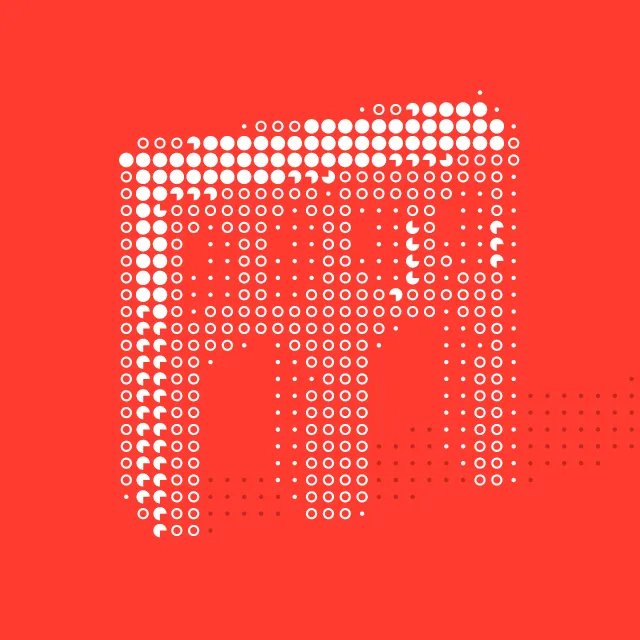


A bevelled pixel logo of your word, raster bars rolling behind it, bobs or a dot globe turning below and a sine scroller at the foot, all on one coarse grid of pixels.
What makes it Raster bars
These are the design choices this generator makes or lets you set. Where a choice says “Measured”, Morphogeny changed that control alone, kept everything else, and measured the picture: a number that moves with the choice, not proof that the picture reads as the style.
- Metallic, rendered, ray-traced forms. Set by “Chrome & 3D”.
- Thick bars, lines and dots as structural accents. “Chrome & 3D”: Colour bands.
- Perspective, overlap, shadow or parallax create a z-axis. Set by “Illusion of depth”.
- Stars, suns, orbits, sparkles and planets. “Backdrop”: Starfield.
- Repeated lines and modules that vibrate or warp perception. “Backdrop”: Plasma.
- Smooth blends, fades or spectral ramps. “Backdrop”: Stepped sky.
- Circle, square and triangle as building blocks. “Object”: Bobs.
- Computer-generated objects, scenes and textures. “Object”: Dot globe.
- Letters constructed on a pixel grid. Set by “Bitmap & pixel”. Measured on the opening picture, from 200 to 480: mean run of one colour, in pixels at 400 wide 9 → 8.
- Light elements on black or deep fields. Always.
- Code, parametric systems or machine-learning models. Always.
- Elements mirrored around a central axis; formal and stable. Always.
- Animated, time-based work: titles, broadcast, video. Always.
How this generator works
- One coarse grid of square pixels for the whole screen, in stepped ramps grown from the palette: every gradient changes colour per scanline, never smoothly.
- Full-width bars of shaded colour turn on a drum behind a logo that is bevelled, extruded and outlined in the ground, with a sine scroller between two colour-cycling rules.
- It moves forwards only, as one loop: the bars and the globe turn, the stars, bobs, scroller and colours travel on, and all return to where they started.
What it never does:
- No group name, logo, greeting or known demo screen: the logo is only the word you type, cut from an open grotesque.
- No smooth gradient, glow or photograph, and never a light ground: a palette with no dark colour lends its darkest a night version.
- No strobing: each bar passes a point twice a loop and the colours cycle slowly, below the WCAG flash thresholds.
Every picture is a recipe: the variation number and the settings, kept in the page's address. Copy the link and the same picture comes back, in any browser. Random (or R) draws a new variation; ← and → step through them; S shuffles the settings; C borrows another style's colours.
About Demo screens
The demoscene grew in the mid-1980s around home computers with a few hundred pixels across and a small set of colours. Groups of coders, graphicians and musicians made real-time pieces to show what the machines could do: a hand-pixelled logo in chrome or stone, bars of colour changed line by line as the screen was drawn, starfields, plasma, balls on a Lissajous path and a line of text riding a sine wave.
This generator draws such a screen from rules. Everything sits on one grid of square pixels, and every colour is a step on an eight-step ramp grown from the palette, so each gradient changes by scanlines, never smoothly. The logo is only the word you type, cut from an open grotesque into those pixels, bevelled, extruded and outlined in the ground.
It makes new screens, not copies: no group name, logo, greeting or known demo is drawn, and it is not scene work. If you borrow the look for a project, credit or commission the scene graphicians who still pixel by hand.
Demo screens: 1985–today. What the controls mean: Help.
Where raster bars come from
Home computers of the 1980s drew the screen one line at a time, top to bottom, fifty or sixty times a second. Coders found they could change a colour register between two lines, so a single colour became a stack of different ones. Stacked in steps from dark to light and back, those lines read as a shiny bar; moved each frame along a sine, a set of them swung like ribbons. On one machine the chip that did this was called the copper, and the bars kept the name.
Around the bars came a set of effects every group tried to outdo: the scroller, a line of text crossing the screen on a wave, often greeting friends and rivals; starfields in layers; plasma, a field of sine sums cycling through a colour table; bobs, shaded balls in a chain; and dots on a turning sphere. Over them hung the logo, drawn pixel by pixel with bevels and reflections so that a palette of sixteen or thirty-two colours looked like polished metal.
How the generator builds a demo screen
Bitmap & pixel sets how many pixels cross the screen, from 200 to 480. The screen is held as a grid of colour numbers and written out as one vector path per colour, so the file stays small and every edge stays square. Rules & bars sets up to six bars, each in one ink, following each other round a sine and drawn nearer or further as they turn.
The logo is your word set in a heavy grotesque at a width the variation chooses, sometimes slanted, then cut into pixels. Chrome & 3D shades its face: sky over a bright horizon and earth below, banded metal, grained stone, or bands of colour that run through it while it plays. Illusion of depth extrudes it by up to eight of the screen’s pixels, and a one-pixel outline in the ground keeps it clear of the bars.
Backdrop chooses a starfield in three layers, a plasma in the darker steps of the inks so the logo leads, a stepped sky, or plain black. Object adds bobs on a Lissajous figure or a globe of dots. The scroller rides a sine that stays still on the screen while the letters travel through it, which keeps the flicker of moving text in a narrow band; over a plasma or a sky it runs on the ground between its rules, so it reads on any palette.
What to make with a demo screen
A demo screen makes a title card for a talk on computer history, a header for a retro game night, a banner for a chiptune release, a loading screen for a jam game or a thumbnail for a video on early graphics. Type the event or project into Logo and the date or a line of thanks into Scroller.
As a loop it suits a stream overlay, a lobby screen or a social post: every part returns to where it began, so the video repeats without a jump. In the banner format the bars and the object run behind the logo, with the scroller below, for a site header or a channel banner.
Tips for a convincing screen
Short words in capitals give the biggest logos; a word of four to eight letters fills a landscape screen. Fewer pixels across make a coarser, older machine; more give a cleaner, later one. Chrome reads best when the palette has a cool colour and a warm one, as the style’s own palette has, because the sky takes the loudest ink and the earth the next.
Any palette works, but the screen is always dark: a palette without a dark colour lends its darkest a night version for the ground. Strong, saturated inks make the best bars. For a calmer picture, set two or three bars, a black backdrop and no object, and let the logo and scroller carry it.
Use it from code
The recipe below draws the picture this page opens with. Copy recipe gives you the one on screen. Agents can render recipes to SVG or PNG through Morphogeny's MCP server (morphogeny_render); the same recipe always gives the same SVG.
{
  "tool": "raster-bars",
  "v": 1,
  "seed": 2,
  "format": "landscape",
  "params": {
    "logo": "MORPHOGENY",
    "message": "GROWN FROM A SEED, PIXEL BY PIXEL",
    "shading": "chrome",
    "depth": 3,
    "bars": 5,
    "backdrop": "stars",
    "object": "bobs",
    "pixels": 320,
    "wave": 0.5
  },
  "palette": "demoscene-graphics"
}
Open this recipe: /raster-bars/#seed=2&v=1. A plain-text version of this page:/raster-bars.md.